
gaming
Gaming PC: Complete Buying Guide for Better Performance

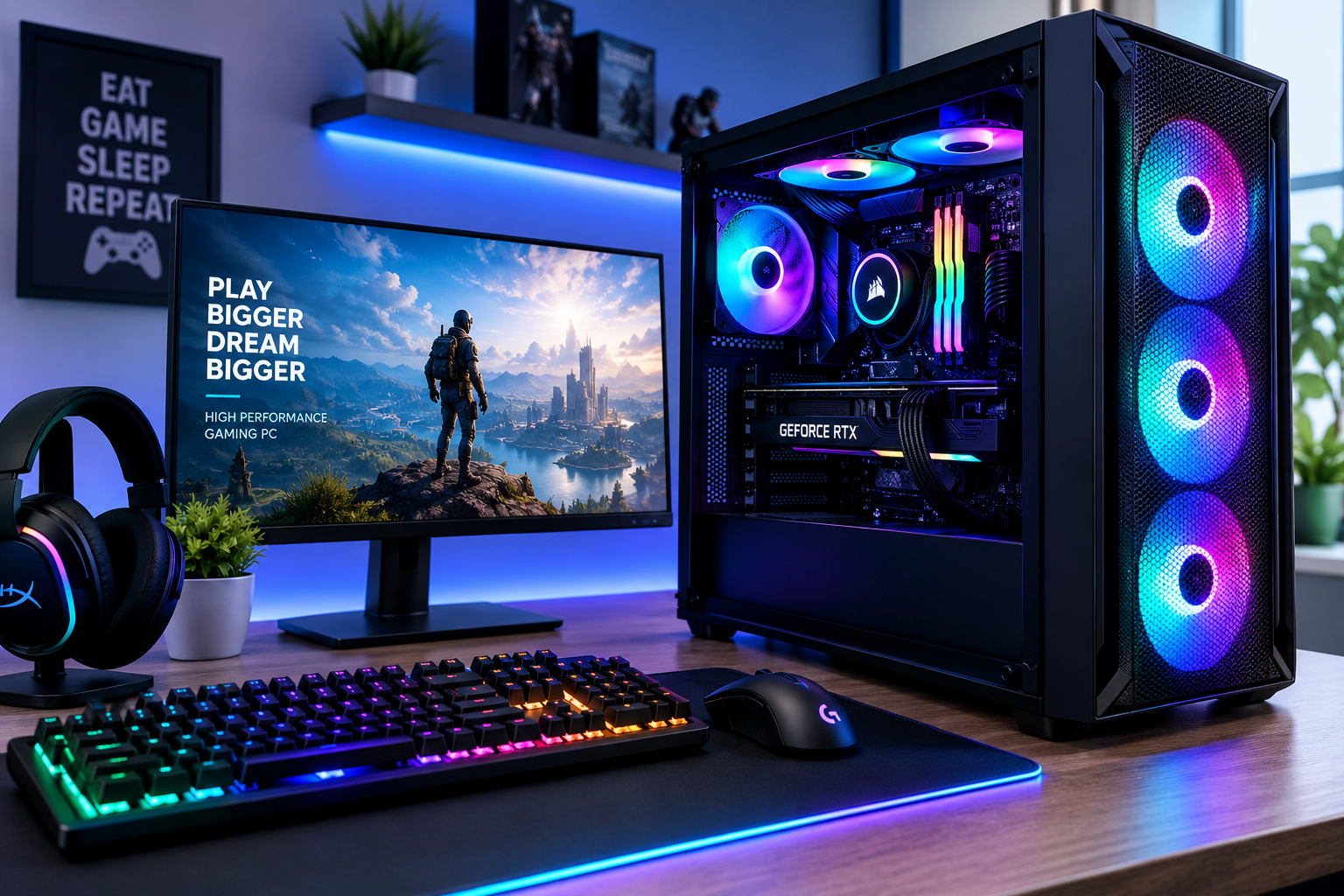
A gaming PC is more than a computer with an expensive graphics card. The best system balances the processor, GPU, memory, storage, cooling, power supply, monitor resolution, and your actual gaming needs.
That balance matters because spending more does not automatically deliver a better experience. A carefully selected mid-range computer can outperform a poorly configured high-end system in the games you actually play.
Whether you are buying a prebuilt machine or planning your own build, this guide explains what matters, where your money should go, and which common mistakes can reduce performance or waste your budget.
What Is a Gaming PC?
A gaming PC is a desktop computer designed to run video games smoothly at specific resolutions, graphics settings, and frame rates.
Unlike a basic office computer, it normally includes a dedicated graphics card, stronger cooling, faster memory, a suitable power supply, and hardware designed for sustained workloads.
The important point is that there is no single ideal specification. A computer for competitive 1080p gaming has different requirements from one designed for 4K single-player games.
Gaming PC Quick Facts
| Component | Why It Matters | General Priority |
|---|---|---|
| Graphics card | Controls most gaming graphics performance | Very High |
| Processor | Handles game logic, physics, AI, and frame delivery | High |
| RAM | Supports games and background applications | Medium-High |
| SSD | Improves loading and system responsiveness | High |
| Power supply | Provides stable and safe power | High |
| Cooling | Maintains reliable performance | Medium-High |
| Motherboard | Connects components and affects upgrade options | Medium |
| Case | Influences airflow, compatibility, and appearance | Medium |
Start With the Games You Want to Play
One of the biggest buying mistakes is choosing hardware before defining the gaming target.
Ask yourself three questions:
- Which games will I play most often?
- What resolution will I use?
- What frame rate am I trying to achieve?
A person playing esports titles at 1080p and 240Hz needs a different system from someone playing cinematic games on a 4K 60Hz display.
Competitive Gaming
Games built around fast reactions often benefit from very high frame rates.
For this type of setup, CPU performance becomes especially important because the graphics card may already be capable of producing hundreds of frames per second at lower settings.
A good competitive system should prioritize:
- Strong single-core CPU performance
- Low-latency memory
- A capable but not necessarily flagship GPU
- A high-refresh-rate monitor
- Stable cooling
AAA Gaming
Modern story-driven games usually place more pressure on the graphics card, particularly at high settings.
If your main goal is visual quality, allocate more of the budget to the GPU rather than overspending on a processor that delivers little additional real-world performance.
Simulation and Strategy Games
Large strategy games, simulation titles, and heavily modded games can depend heavily on processor performance and memory capacity.
In these cases, simply buying the fastest graphics card may not solve performance problems.
Choose Your Resolution Before Your Graphics Card
Resolution has a major influence on gaming hardware requirements.
1080p Gaming
Full HD remains an excellent option for competitive gaming and budget-conscious builds.
It places less demand on the GPU, making high frame rates easier to achieve without buying top-tier graphics hardware.
1080p is particularly suitable for:
- Esports
- Entry-level systems
- High-refresh-rate gaming
- Smaller monitors
1440p Gaming
For many players, 1440p offers the best balance between image quality and performance.
The resolution looks noticeably sharper than 1080p while requiring significantly less graphics power than 4K.
It is a strong target for a mid-range or upper-mid-range gaming PC.
4K Gaming
4K delivers excellent detail but places heavy demands on the graphics card.
Before building specifically for 4K, consider whether you value image quality more than very high frame rates.
Technologies such as intelligent upscaling can improve 4K performance, but the GPU still deserves the largest portion of the budget.
The Graphics Card Is Usually the Most Important Component
For most gaming builds, the graphics processing unit has the biggest direct effect on frame rates and graphics quality.
It handles tasks such as:
- Rendering textures
- Lighting
- Shadows
- Reflections
- Ray tracing
- High-resolution output
- Image upscaling
- Frame-generation technologies where supported
This is why a balanced gaming system often dedicates a substantial percentage of the total budget to the graphics card.
Do not, however, spend so much on the GPU that you are forced to use a weak processor, poor-quality power supply, insufficient storage, or inadequate cooling.
How Important Is the CPU?
The processor prepares information that the graphics card needs to render each frame.
A stronger CPU becomes particularly useful when gaming at high frame rates or playing games with complex AI, physics, simulation, or large numbers of active objects.
When CPU Performance Matters Most
CPU performance becomes especially noticeable during:
- 1080p high-refresh gaming
- Competitive esports
- Strategy games
- Simulators
- MMORPGs
- Heavily modded games
- Gaming while streaming
- Gaming with multiple applications running
Buying the most expensive processor available is rarely necessary for a dedicated gaming system.
The better approach is choosing a CPU powerful enough to keep the graphics card working efficiently.
How Much RAM Does a Gaming PC Need?
Memory requirements have increased as modern games, browsers, launchers, voice-chat software, and background applications have become more demanding.
16GB RAM
Sixteen gigabytes can still handle many gaming workloads, particularly on budget systems.
However, it offers less breathing room for demanding games, heavy multitasking, modding, and future software.
32GB RAM
For many modern builds, 32GB provides a comfortable balance.
It gives games and background applications more room without requiring the large investment associated with workstation-level memory capacities.
64GB RAM
Most gamers do not need 64GB exclusively for gaming.
It becomes more useful if the same PC is used for:
- Video editing
- 3D rendering
- Large creative projects
- Virtual machines
- Professional workloads
- Extensive game modding
Capacity matters, but memory speed and compatibility also deserve attention.
Use an SSD for Your Operating System and Games
A modern gaming PC should use solid-state storage.
Compared with an old mechanical hard drive, an SSD can dramatically improve:
- Boot times
- Game launch times
- Level loading
- File transfers
- Windows responsiveness
Many current systems use NVMe SSDs that connect directly to the motherboard.
How Much Storage Should You Buy?
Game installation sizes can be extremely large.
A small drive may appear affordable initially but can quickly become frustrating once several large games are installed.
For many gamers, 1TB should be viewed as a practical starting point, while 2TB offers much more flexibility for larger libraries.
Additional storage can usually be installed later.
Do Not Ignore the Power Supply
The power supply is one of the least exciting components to buy, but it is one of the most important.
A poor PSU can cause instability and may compromise the reliability of expensive hardware.
Choose a reputable model with enough capacity for your components while allowing reasonable headroom.
Pay attention to:
- Total wattage
- Efficiency rating
- Connector availability
- GPU power requirements
- Warranty
- Build quality
- Appropriate modern standards
Do not select a power supply based solely on the wattage printed on the box.
A high-quality lower-wattage PSU can be a better choice than a cheaply manufactured unit advertising a much higher number.
Why Cooling Matters
Gaming places components under sustained load.
If a processor or graphics card becomes too hot, performance may decrease as the hardware reduces operating speed to control temperature.
Good cooling improves both performance consistency and hardware longevity.
Air Cooling
Air coolers are popular because they are relatively simple, reliable, and affordable.
A properly sized tower cooler can handle many gaming processors extremely well.
Liquid Cooling
All-in-one liquid coolers can provide strong thermal performance and a cleaner appearance.
However, they are not automatically necessary for every gaming computer.
Choose cooling according to processor heat output, case compatibility, noise preferences, and budget rather than appearance alone.
Case Airflow Can Affect Performance
A case is not merely decorative.
Its design controls how easily cool air reaches your hardware and how quickly hot air escapes.
Look for:
- Mesh ventilation
- Suitable intake fans
- Exhaust airflow
- GPU clearance
- CPU cooler clearance
- Cable-management space
- Dust filters
A closed case with poor ventilation can make expensive components run hotter and louder.
Motherboard Features Worth Paying For
The motherboard does not usually increase gaming frame rates directly, but it determines compatibility and expansion possibilities.
Important features include:
- Correct CPU socket
- Compatible memory type
- Enough M.2 storage slots
- Sufficient USB ports
- Wi-Fi if required
- Ethernet speed
- Audio connectivity
- PCIe expansion
- BIOS support
- Fan headers
Avoid paying heavily for premium motherboard features you will never use.
At the same time, choosing the absolute cheapest compatible board can limit future upgrades.
Gaming PC Budget Priorities
Instead of starting with brand names, divide your budget according to performance priorities.
| Budget Priority | Suggested Focus |
|---|---|
| Entry-level | GPU, CPU, SSD, reliable PSU |
| Mid-range | Stronger GPU, 32GB RAM, 1–2TB SSD |
| High-end | Premium GPU, strong CPU, better cooling |
| Enthusiast | Maximum performance, premium cooling, large storage |
These are strategic priorities rather than fixed component lists.
Hardware prices change frequently, so building around performance targets is more useful than blindly following a static shopping list.
Prebuilt Gaming PC vs Custom Build
Both approaches can be good choices.
The better option depends on how much control, convenience, and technical involvement you want.
Advantages of a Prebuilt Gaming PC
A prebuilt computer offers simplicity.
You receive a complete system that has already been assembled and normally includes a warranty covering the entire machine.
Benefits include:
- No assembly required
- Windows may be installed
- Single-system warranty
- Easier troubleshooting for beginners
- Immediate usability
Disadvantages of Prebuilt Systems
Some manufacturers reduce costs in less visible areas.
Check the exact specifications of:
- Power supply
- Motherboard
- RAM configuration
- SSD
- CPU cooler
- Case airflow
A listing that prominently advertises a powerful graphics card may quietly pair it with lower-quality supporting components.
Advantages of Building Your Own
A custom build gives you control over virtually every component.
You can prioritize performance, appearance, noise level, storage, or upgradeability according to your needs.
It can also teach you how your computer works, making future upgrades easier.
Disadvantages of Building Your Own
You are responsible for assembly, troubleshooting, software installation, and individual component warranties.
For first-time builders, the process requires more preparation.
Common Gaming PC Mistakes to Avoid
Spending Too Much on the CPU
A powerful processor cannot compensate for an underpowered graphics card in GPU-heavy games.
Balance the system according to your target resolution and frame rate.
Buying One RAM Stick
Using only one memory module can reduce memory bandwidth on systems designed to use multiple channels.
Matched memory configurations generally provide better performance.
Choosing a Cheap Power Supply
The PSU protects and powers every major component.
This is not the place to save a small amount of money.
Overspending on RGB
Lighting can make a computer attractive, but RGB fans and accessories do not increase frame rates.
Set the performance budget first, then spend remaining money on appearance.
Buying Too Little Storage
Large modern games can consume hundreds of gigabytes when several titles, updates, recordings, and applications are installed.
Plan storage for the next few years, not only your first three games.
Ignoring the Monitor
A computer capable of 200 FPS provides limited benefit if the monitor can only display 60Hz.
Your monitor should match the performance level of the PC.
Forgetting Upgrade Compatibility
Check whether your motherboard, power supply, case, and cooling system can support future upgrades.
Spending slightly more on a flexible platform can reduce replacement costs later.
The Monitor Is Part of the Gaming Experience
PC performance and monitor capability should be planned together.
Three specifications matter most:
- Resolution
- Refresh rate
- Adaptive synchronization
A competitive player may prefer a lower resolution with a very high refresh rate.
A single-player gamer may instead prefer a larger high-resolution display with better image quality.
Neither choice is automatically superior.
Should You Use Ray Tracing?
Ray tracing can improve reflections, lighting, and shadows in supported games.
However, it can significantly increase GPU workload.
Whether it is worthwhile depends on:
- The games you play
- Your graphics card
- Target frame rate
- Resolution
- Personal preference
Some users would rather disable ray tracing and gain significantly higher frame rates. Others prefer maximum visual quality.
Treat it as an option rather than a requirement.
Upscaling and Frame Generation Explained
Modern graphics cards can use advanced rendering technologies to improve performance.
Upscaling allows a game to render internally at a lower resolution before reconstructing the image at a higher output resolution.
Frame-generation technologies can create additional displayed frames between traditionally rendered frames in supported games.
These features can be valuable at demanding resolutions, but native performance still matters.
Do not buy severely underpowered hardware expecting software technologies to solve every performance limitation.
How to Balance a Gaming PC
A balanced build avoids major performance mismatches.
For example, pairing an extremely powerful graphics card with an entry-level processor may limit high-refresh gaming performance.
Likewise, combining an expensive processor with a very weak GPU can waste money in graphics-intensive games.
Think of the system as a chain.
The goal is not to buy the most expensive version of every component. It is to prevent one component from becoming an unnecessary limitation.
Build for Your Actual Needs, Not Benchmark Charts
Benchmarks are useful, but they can encourage unnecessary spending.
A component producing 160 FPS instead of 130 FPS may look significantly better on a graph, but that difference may not improve your experience enough to justify hundreds of dollars.
Look at benchmarks that match:
- Your games
- Your resolution
- Your graphics settings
- Your expected monitor
- Your intended workload
Average benchmark rankings alone tell only part of the story.
What About Streaming and Content Creation?
If you plan to stream gameplay, record video, edit footage, or create content, your hardware priorities may change.
Consider additional CPU performance, more RAM, larger storage capacity, and strong GPU encoding capabilities.
A gaming-only machine and a gaming-plus-production workstation should not necessarily use the same budget allocation.
Gaming PC Upgrade Strategy
One major advantage of desktop gaming computers is upgradeability.
You do not need to replace the entire system every time performance requirements increase.
Common upgrades include:
- Graphics card
- Storage
- RAM
- Processor
- Cooling
- Monitor
Before upgrading the graphics card, confirm that your power supply has enough capacity and the case has enough physical space.
Before upgrading the CPU, check motherboard compatibility and BIOS requirements.
How Long Can a Gaming PC Last?
There is no fixed lifespan.
A well-built machine can remain useful for many years, especially when the owner is willing to reduce graphics settings or upgrade individual parts.
Longevity depends on:
- Original hardware level
- Target resolution
- Game requirements
- Maintenance
- Upgrade possibilities
- Performance expectations
A person satisfied with 60 FPS at medium settings will usually keep the same system longer than someone who always wants maximum settings at very high refresh rates.
Simple Gaming PC Buying Checklist
Before purchasing components or a complete system, verify:
- Target resolution
- Target refresh rate
- Games you actually play
- GPU performance
- CPU compatibility
- RAM capacity and configuration
- SSD capacity
- Power supply quality
- Cooling requirements
- Case dimensions
- Monitor capabilities
- Upgrade options
- Warranty coverage
Checking these points beforehand can prevent most costly purchasing mistakes.
Frequently Asked Questions
How much should I spend on a gaming PC?
The right amount depends on your target resolution, games, refresh rate, and local hardware pricing.
Set the performance target first and then determine the budget required to achieve it.
Is 16GB of RAM enough for gaming?
It can be enough for many games, particularly on lower-cost systems. However, 32GB gives modern builds more room for demanding games and multitasking.
Do I need a powerful CPU for gaming?
You need a processor strong enough for your GPU and target frame rate.
Extremely expensive CPUs are not necessary for every gaming system.
Is a gaming PC better than a console?
They serve different priorities.
PC gaming offers more hardware flexibility, upgrades, graphics options, peripherals, modding, and productivity capabilities. Consoles generally provide a simpler standardized experience.
Is building a gaming PC difficult?
Modern PC assembly is manageable for many beginners who carefully follow compatibility requirements and installation instructions.
The most important part is researching components before buying them.
Should I buy a prebuilt gaming PC?
A prebuilt system can be an excellent choice if you value convenience and system-wide warranty support.
Just verify the less-advertised components, especially the power supply, memory configuration, storage, motherboard, and cooling.
Is 1TB enough storage?
It is a reasonable starting point, but players with large game libraries may quickly benefit from 2TB or more.
Storage is one of the easiest components to expand later.
Which component should I upgrade first?
For most gaming-focused computers, the graphics card produces the largest improvement when it is the current performance limitation.
Always check CPU performance, PSU capacity, case size, and monitor resolution before upgrading.
Final Thoughts
Choosing the right gaming PC is mainly about balance.
Do not build around the most expensive component or the highest benchmark score you can find. Start with your games, resolution, desired frame rate, and monitor, then choose hardware that supports those goals without creating unnecessary bottlenecks.
Spend heavily where performance matters, protect the system with a quality power supply and adequate cooling, and leave sensible room for future upgrades. A thoughtfully balanced gaming PC will usually deliver more value than a flashy system built around specifications you do not actually need.
Gaming becomes considerably more exciting when you can customize your favorite titles instead of accepting their original limitations. Whether you want realistic graphics, additional characters, new missions, or improved performance, game modifications offer countless possibilities.
Game mods lync conf is a search term associated with LyncConf, a gaming information website that publishes mod recommendations, gaming guides, customization tutorials, and technology-related content. It helps players explore modifications that can enhance their gaming experiences.
However, finding an interesting mod is only the beginning. Understanding compatibility, choosing trustworthy download sources, and following the correct installation procedures are essential for avoiding technical problems.
This comprehensive guide explains what LyncConf game mods are, how to find suitable modifications, which tools to use, and how to install and manage mods safely.
What Is Game Mods Lync Conf?
Game mods lync conf refers to game modification resources, recommendations, and tutorials associated with the gaming website LyncConf.
LyncConf provides information about video games, gaming accessories, performance optimization, and modifications. Its gaming content helps readers discover customization options and understand how different changes can affect their favorite titles.
A game mod, short for modification, is an alteration to an existing video game. Mods can be created by independent developers, hobbyists, digital artists, or gaming communities.
These modifications can introduce entirely new features or make relatively minor improvements to the original experience.
For example, a mod might change the lighting in an open-world game, introduce additional weapons, improve inventory management, or create a completely new storyline.
It is important to understand that LyncConf is primarily an information and recommendation website rather than a universal mod manager or standalone video game. Its articles can direct readers toward external websites where individual modifications are available.
Quick Facts About LyncConf Game Mods
| Feature | Details |
|---|---|
| Website | LyncConf.com |
| Primary purpose | Gaming information and mod discovery |
| Content | Mod recommendations, tutorials, gaming guides |
| Popular game categories | RPG, action, simulation, sandbox |
| Common modifications | Graphics, gameplay, characters, interfaces |
| Installation | Depends on the game and individual mod |
| Download sources | Original developers and recognized mod repositories |
| Main benefit | More personalized gaming experiences |
LyncConf can be a useful starting point for researching modifications, but players should always verify the original source and installation requirements before downloading anything.
Why Are Game Mods So Popular?
Game modifications have become an important part of gaming because they allow players to change experiences that would otherwise remain relatively fixed.
Some gamers want more realistic graphics, while others prefer challenging gameplay, improved accessibility, or entirely new adventures.
1. Improved Graphics and Visual Quality
Visual modifications can improve textures, lighting, environmental details, weather effects, and character appearances.
For example, a high-resolution texture mod might make the buildings and landscapes in an older game appear more detailed on modern hardware.
However, advanced visual modifications can increase GPU memory usage and reduce frame rates. Players should consider their system specifications before installing demanding graphics enhancements.
2. More Gameplay Features
Gameplay modifications change how players interact with a game.
They may introduce new combat systems, improved artificial intelligence, additional abilities, or different survival mechanics.
These modifications are particularly attractive to experienced players who want fresh challenges after completing the original game.
3. Additional Content
Some of the most ambitious mods introduce entirely new content.
This can include additional quests, characters, locations, vehicles, weapons, and storylines.
Content expansions can provide many additional hours of entertainment without requiring players to purchase a completely different game.
4. Performance Improvements
Certain mods focus on technical optimization rather than introducing visible features.
Depending on the game, these modifications may address inefficient scripts, interface problems, bugs, or other performance-related issues.
Nevertheless, performance gains are never guaranteed. A modification that improves one computer’s performance may produce different results on another system.
5. Greater Personalization
Customization is one of the main reasons players explore game mods lync conf resources.
Players can adjust the appearance, difficulty, interface, and mechanics of supported games to match their preferences.
This flexibility can make familiar games feel substantially different from their original versions.
Different Types of Game Mods Explained
Understanding the major categories of modifications makes it easier to choose appropriate additions for a particular game.
| Mod Type | Main Function | Example |
|---|---|---|
| Graphics mods | Improve visual presentation | High-resolution textures |
| Gameplay mods | Change existing mechanics | Redesigned combat |
| Content mods | Introduce additional material | New missions and locations |
| Character mods | Customize playable characters | New outfits and appearances |
| Interface mods | Improve menus and navigation | Redesigned inventory |
| Audio mods | Change sound effects or music | Environmental audio |
| Performance mods | Address technical limitations | Bug fixes and optimization |
| Total conversions | Extensively redesign a game | New setting and gameplay systems |
Each category serves a different purpose, and individual modifications sometimes combine features from several categories.
For beginners, relatively simple interface and cosmetic modifications are often easier to manage than extensive gameplay overhauls.
Popular Games to Explore Through LyncConf Mod Guides
Several well-established games have active modding communities, extensive documentation, and a wide range of customization options.
The following titles offer useful starting points for gamers interested in exploring different kinds of modifications.
Minecraft

Minecraft has an extensive modding ecosystem that allows players to customize almost every aspect of the game.
Popular modifications include additional creatures, new dimensions, technology systems, farming mechanics, and improved graphics.
Players commonly use tools such as Fabric or NeoForge, depending on the specific mod and supported game version.
Some modifications also require additional libraries or specific versions of Java.
The Elder Scrolls V: Skyrim

The Elder Scrolls V: Skyrim has a long-established modding community.
Its modifications range from minor interface adjustments to extensive changes involving combat, character progression, environments, and additional quests.
The game is also known for community-created content that expands the original world.
Tools such as Mod Organizer 2 and Vortex can help players manage compatible modifications, although some advanced setups require additional configuration.
Grand Theft Auto V

Grand Theft Auto V offers numerous customization opportunities, particularly for players interested in its single-player experience.
Modifications may introduce vehicles, graphical improvements, character changes, and additional gameplay systems.
However, players must distinguish between modifications intended for single-player gameplay and activities restricted by online gaming rules.
Using unauthorized modifications in GTA Online can result in account penalties.
Stardew Valley

Stardew Valley is another popular choice for players interested in customization.
Its modding community creates additional characters, dialogue, farming systems, interface improvements, and new areas to explore.
Many Stardew Valley modifications use SMAPI, a dedicated mod loader that supports a wide range of community-created additions.
The game is particularly suitable for players who enjoy customizing their experience without necessarily changing its core mechanics.
How to Find Game Mods on LyncConf
Finding appropriate modifications requires more than selecting the first available download.
A practical approach is to use LyncConf for discovery and then verify the individual mod on its original project page.
Step 1: Visit the Official Website
Open LyncConf.com and explore its gaming and game-mod content.
Look for articles that discuss modifications for the particular game you want to customize.
Step 2: Search for Your Game
Use the website’s navigation or search functionality to locate relevant articles.
For example, players interested in Skyrim can look for recommendations involving texture improvements, character customization, or gameplay modifications.
Step 3: Evaluate the Recommendations
Read the available descriptions carefully.
Pay attention to the purpose of each mod, its installation requirements, and any compatibility information provided.
Older articles can still offer useful recommendations, but their technical instructions may no longer apply to the latest game version.
Step 4: Locate the Original Download
If an article recommends a particular modification, follow the relevant reference to its original developer or recognized distribution page.
Avoid assuming that every external link is safe simply because it appears in a gaming article.
Step 5: Check Compatibility
Before downloading, verify the supported game version, required dependencies, operating system, and installation method.
These details are especially important for modifications that depend on particular game engines or modding frameworks.
Trusted Websites for Downloading Game Mods
Although LyncConf helps users discover customization options, dedicated mod repositories provide the files and tools needed to install many modifications.
Some widely recognized sources include:
| Platform | Main Focus | Website |
|---|---|---|
| Nexus Mods | Mods for numerous PC games | nexusmods.com |
| Steam Workshop | Steam-integrated modifications | steamcommunity.com/workshop |
| CurseForge | Minecraft and other supported games | curseforge.com |
| Mod DB | Independent modding projects | moddb.com |
| Mod.io | Cross-platform mod distribution for supported games | mod.io |
These platforms provide access to different communities, but their availability, supported games, and installation methods vary.
A recognizable platform does not guarantee that every uploaded file is safe. Check the individual project’s reputation, permissions, documentation, and recent user feedback.
How to Install Game Mods Lync Conf Recommendations
Installing game modifications can be straightforward, but the correct procedure depends on the game, platform, and individual modification.
The following process provides a general framework for managing compatible PC game mods.
Step 1: Check the Game Version
Open the game launcher or settings menu and identify the installed game version.
Compare it with the version supported by the modification.
A mismatch can result in installation failures, missing functionality, or crashes.
Step 2: Back Up Your Saved Games
Before making changes, create a backup of your existing saved games and important configuration files.
Store the backup somewhere separate from the files being modified.
This precaution allows you to restore your progress if an installation causes problems.
Step 3: Download the Modification
Visit the mod’s original project page or a recognized repository.
Review the installation instructions and download the file intended for your game version.
Avoid suspicious advertisements, unrelated download buttons, and websites that require unnecessary personal information.
Step 4: Install the Required Tools
Some games require a dedicated mod manager or framework.
For example, supported Skyrim installations can use Vortex or Mod Organizer 2, while many Minecraft modifications depend on specific loaders.
Use the tool recommended by the mod author when appropriate.
Step 5: Install the Mod
Follow the developer’s instructions to install the modification.
Some mods can be installed directly through a mod manager, while others require files to be placed in specific folders.
Never assume that every modification belongs in the same directory.
Step 6: Configure the Load Order
Certain games load modifications in a particular sequence.
When multiple mods change the same files or gameplay systems, their order can influence which changes take effect.
Use the relevant mod manager and follow any load-order instructions supplied by the developers.
Step 7: Test the Game
Launch the game and confirm that the modification works correctly.
Check for missing textures, unusual behavior, error messages, and unexpected performance changes.
Install and test modifications individually whenever practical. This makes troubleshooting much easier if a problem occurs.
How to Keep Game Mods Safe
Security should be a priority whenever you install third-party software or game modifications.
Even popular modifications can cause problems if downloaded from fraudulent websites, outdated mirrors, or compromised accounts.
The following precautions can reduce unnecessary risks:
-
Use recognized sources: Prefer original developer pages and established repositories.
-
Scan downloaded files: Use reputable security software before opening unfamiliar downloads.
-
Review file contents: Be cautious with unexpected executable files and scripts.
-
Check dependencies: Confirm that required libraries come from legitimate sources.
-
Read recent feedback: Look for unresolved security concerns and reports of installation problems.
-
Avoid unnecessary permissions: Do not grant administrator access unless a trusted tool genuinely requires it.
-
Maintain backups: Preserve your original saves and important configuration files.
Be particularly cautious when a website claims that you must disable antivirus protection before installing a mod.
While security software can occasionally produce false positives, disabling protection without independently investigating the warning creates unnecessary risk.
Common Game Mod Problems and How to Fix Them
Even carefully selected modifications can produce technical problems.
The most frequent issues involve incompatible versions, missing dependencies, conflicting files, and incorrect installation procedures.
Game Crashes During Startup
A game that crashes immediately after installing a mod may have a compatibility problem.
Start by disabling the most recently installed modification and launching the game again.
If the game works normally, check the mod’s requirements, dependencies, and compatibility with other installed modifications.
Mods Do Not Appear in the Game
A modification may fail to appear when it has been installed in the wrong directory or has not been enabled.
Check whether your mod manager recognizes the installed files.
Also confirm that you have completed any additional activation steps required by the game.
Missing Textures or Visual Errors
Visual problems often occur when graphics modifications have missing assets or conflicting files.
Review the installation instructions and check whether the mod requires additional texture packs or supporting files.
If several modifications affect the same visual elements, inspect their compatibility information.
Reduced Performance
Some visual enhancements and extensive gameplay modifications require additional processing power, memory, or GPU resources.
If performance deteriorates, temporarily disable demanding modifications and compare the results.
Reducing texture resolution or removing intensive graphical effects may help restore performance.
Mods Stop Working After an Update
Game updates can change files, functions, and systems that modifications depend on.
Consequently, a previously working mod may become incompatible after the game receives a new patch.
Check the developer’s project page for an updated version rather than attempting random file changes.
Troubleshooting Reference
| Problem | Possible Cause | Recommended Action |
|---|---|---|
| Startup crash | Incompatible mod | Disable recent additions |
| Mod not loading | Incorrect installation | Check folders and activation |
| Missing textures | Missing assets or conflicts | Review dependencies |
| Low FPS | Resource-intensive modifications | Reduce graphics demands |
| Broken gameplay | Conflicting modifications | Check compatibility and load order |
| Problems after an update | Version mismatch | Check for updated mods |
When troubleshooting a heavily modified game, use a controlled approach. Change one variable at a time so that you can identify the actual cause of the problem.
How to Manage Multiple Mods Efficiently
Installing numerous modifications without an organized system can quickly lead to technical difficulties.
A better strategy involves maintaining a manageable collection and documenting important changes.
Use a Mod Manager
A suitable mod manager can simplify installation, activation, updating, and removal.
Depending on the game and manager, it may also help identify file conflicts and manage installation profiles.
However, a mod manager cannot automatically resolve every compatibility problem.
Maintain Separate Profiles
Where supported, create different profiles for different types of gameplay.
For example, you might use one profile for graphical improvements and another for extensive gameplay changes.
Separate profiles make it easier to switch between configurations without rebuilding your entire mod collection.
Keep Track of Versions
Record the versions of the game, mod loader, and important modifications.
This information becomes particularly useful when troubleshooting problems after updates.
Avoid Unnecessary Updates
Updating every modification immediately is not always the most reliable strategy.
An updated mod may require a newer dependency or may not yet be compatible with other modifications in your collection.
Read the release notes before making changes to a stable configuration.
Test Changes Incrementally
Install a small number of modifications, test their functionality, and then add more.
This approach is usually more manageable than installing dozens of unfamiliar modifications simultaneously.
Benefits and Limitations of Game Mods
Game modifications can offer substantial advantages, but they also introduce responsibilities and potential technical difficulties.
| Benefits | Limitations |
|---|---|
| Personalized gameplay | Compatibility problems |
| Additional missions and features | Potential installation errors |
| Improved visuals | Higher hardware requirements |
| Community-created content | Security risks from untrusted files |
| Interface and accessibility improvements | Possible conflicts between modifications |
| Extended replay value | Additional maintenance after updates |
The overall experience depends on the quality of the modifications, the compatibility of the setup, and the care taken during installation.
Players who prioritize stability may prefer smaller collections of well-maintained modifications over extensive and experimental combinations.
Advanced Tips for Experienced Mod Users
Once you understand the fundamentals, several techniques can make complex modding setups more reliable.
Create a Baseline Configuration
Begin with a stable installation containing only the game and essential tools.
Test this configuration before adding optional modifications.
Having a known working baseline makes it easier to identify problems introduced by subsequent changes.
Understand Dependencies
Some modifications require other mods, frameworks, or libraries to function.
Dependencies may also require particular versions or installation sequences.
Review the complete dependency list before installing the main modification.
Check for File Conflicts
Two modifications may attempt to replace the same file or change the same gameplay feature.
Depending on the game and mod manager, one modification may override the other.
Understanding these interactions is essential when combining extensive customization packages.
Monitor Hardware Usage
Use suitable performance-monitoring tools to observe frame rates, GPU usage, memory consumption, and system temperatures.
Compare performance before and after introducing demanding modifications.
This can help determine whether a modification is appropriate for your hardware.
Maintain a Recovery Plan
Keep backups of important files and document your installation process.
For especially complex setups, save mod lists, configuration profiles, and relevant version information.
These records can make restoration much easier if a future update disrupts your configuration.
Are Game Mods Legal?
The legality of game modifications depends on the applicable laws, the game’s license terms, the material being modified, and how the modifications are distributed or used.
Many developers support or permit specific forms of modding, particularly for single-player games.
However, permission is not universal.
Some activities may violate licensing agreements, copyright rules, or online service policies. Distributing copyrighted game assets without authorization can also create legal problems.
Players should review the relevant developer’s terms and the individual mod’s license before installing, modifying, or redistributing content.
Can Game Mods Get You Banned?
Modifications can lead to account penalties when they violate the rules of a game or online service.
This concern is particularly important in competitive multiplayer environments where unauthorized modifications may provide unfair advantages or interfere with anti-cheat systems.
Single-player modifications are often treated differently, but the applicable rules depend on the individual game.
Before using any modification in an online environment, verify whether the developer explicitly permits it.
Never assume that a modification is acceptable in multiplayer simply because it works in single-player mode.
Game Mods Lync Conf vs. Dedicated Modding Platforms
LyncConf and dedicated modification platforms serve different purposes.
LyncConf primarily provides gaming information, recommendations, and guides, while platforms such as Nexus Mods and Steam Workshop offer dedicated systems for distributing and managing supported modifications.
| Feature | LyncConf | Dedicated Mod Platforms |
|---|---|---|
| Gaming articles | Yes | Varies |
| Mod recommendations | Yes | Yes |
| Mod file hosting | Not its primary function | Common |
| Installation tutorials | Available | Often available |
| Mod management tools | Not a core service | Available on some platforms |
| Creator project pages | Not its primary function | Common |
| Community feedback | Varies by article | Often mod-specific |
The two types of resources can complement each other.
A player might discover a useful modification through LyncConf, read the original developer’s documentation on a dedicated platform, and install the files using an appropriate mod manager.
Frequently Asked Questions
1. What is game mods lync conf?
Game mods lync conf is a search phrase referring to game modification information and resources associated with LyncConf. The website publishes gaming articles, guides, recommendations, and content about customization.
2. Is LyncConf a game or a modding website?
LyncConf is primarily a gaming information website. It publishes content about video games and modifications rather than functioning as a standalone game or universal mod manager.
3. Are game mods free to download?
Many community-created modifications are available for free, although some creators offer paid content, subscriptions, or optional donations. Availability and licensing conditions depend on the individual project.
4. Can beginners install game mods?
Yes. Many games support beginner-friendly modifications through integrated workshops, dedicated mod managers, or clearly documented installation procedures. Starting with a simple modification is a sensible way to learn.
5. Do game mods improve performance?
Some modifications address technical issues or optimize particular game features. Others increase hardware requirements, so performance improvements depend on the specific modification and computer.
6. Can game mods damage my computer?
Untrusted downloads can introduce security risks, while poorly implemented or incompatible modifications may cause crashes and software problems. Downloading from reputable sources, scanning unfamiliar files, and keeping backups can reduce these risks.
7. Can I install multiple game mods together?
Yes, provided the modifications are compatible. Some games support extensive collections, but installation order, dependencies, and overlapping changes may require careful management.
8. Do game mods work on consoles?
Console modding support varies by platform and game. Some titles provide officially supported mod systems, while others restrict or prohibit modifications.
9. How do I remove an installed mod?
The removal procedure depends on the game and installation method. Mod managers often provide options for disabling or uninstalling modifications, while manually installed mods may require specific removal instructions.
Removing a mod can sometimes affect saved games that depend on its content.
10. Why do mods stop working after game updates?
Updates can change the underlying game files, interfaces, or functions that modifications rely on. In these situations, the mod developer may need to release a compatible version.
Final Thoughts
Game mods lync conf provides a useful starting point for players who want to learn about game customization, discover modifications, and explore ways to improve their favorite gaming experiences.
From visual enhancements and additional missions to interface improvements and extensive gameplay overhauls, modifications can introduce possibilities beyond those offered by the original game.
The most important consideration is choosing modifications carefully. Check compatibility, use trustworthy download sources, follow developer instructions, maintain backups, and test changes before adding more complexity.
For players exploring LyncConf’s gaming resources, combining informative guides with original developer documentation and established modding platforms offers a practical approach to game customization.
With appropriate tools and a well-organized installation process, you can create a personalized gaming experience while reducing avoidable technical and security risks.
gaming
allysplay.com website: A Complete Guide to Its Features, Access, and Online Gaming Experience




Gaming PC: Complete Buying Guide for Better Performance

Supermarket: A Complete Guide to Smarter Grocery Shopping

Andrew Curtis Clearco: CEO, Career & Company Strategy
-

 Fashion9 years ago
These ’90s fashion trends are making a comeback in 2017
-
Entertainment9 years ago
The final 6 ‘Game of Thrones’ episodes might feel like a full season
-
Fashion9 years ago
According to Dior Couture, this taboo fashion accessory is back
-
Business9 years ago
Uber and Lyft are finally available in all of New York State
-
Entertainment9 years ago
The old and New Edition cast comes together to perform
-
Sports9 years ago
Steph Curry finally got the contract he deserves from the Warriors
-
Sports9 years ago
Phillies’ Aaron Altherr makes mind-boggling barehanded play
-
Entertainment9 years ago
Disney’s live-action Aladdin finally finds its stars